Analyst agent BetaEnterpriseEnterprise +
The Analyst agent lets you chat with your data and get accurate answers powered by the dbt Semantic Layer. Unlike generic AI chat interfaces, the Analyst agent provides consistent, explainable results with transparent SQL, lineage, and data policies.
Prerequisites
- Enable beta features under Account settings > Personal profile > Experimental features. See Preview new dbt platform features for steps.
- Have access to dbt Insights and meet those prerequisites.
- Be on a dbt platform Enterprise-tier plan — book a demo to learn more about Insights.
- Available on all tenant configurations.
- Have a dbt developer license with access to Insights.
- Configured developer credentials.
Using the Analyst agent
Use dbt Copilot to analyze your data and get contextualized results in real time by asking natural language questions to the Insights Analyst agent.
-
Click the Copilot icon in the Query console sidebar menu.
-
In the dropdown menu above the Copilot prompt box, select Agent.
-
In the dbt Copilot prompt box, enter your question.
-
Click ↑ to submit your question.
The agent then translates natural language questions into structured queries, executes queries against governed dbt models and metrics, and returns results with references, assumptions, and possible next steps.
The agent can loop through these steps multiple times if it hasn't reached a complete answer, allowing for complex, multi-step analysis.
dbt Insights automatically executes the SQL query suggested by the Analyst agent, and you can preview the SQL results in the Data tab.
-
Confirm the results or continue asking the agent for more insights about your data.
Your conversation with the agent remains even if you switch tabs within dbt Insights. However, they disappear when you navigate out of Insights or when you close your browser.
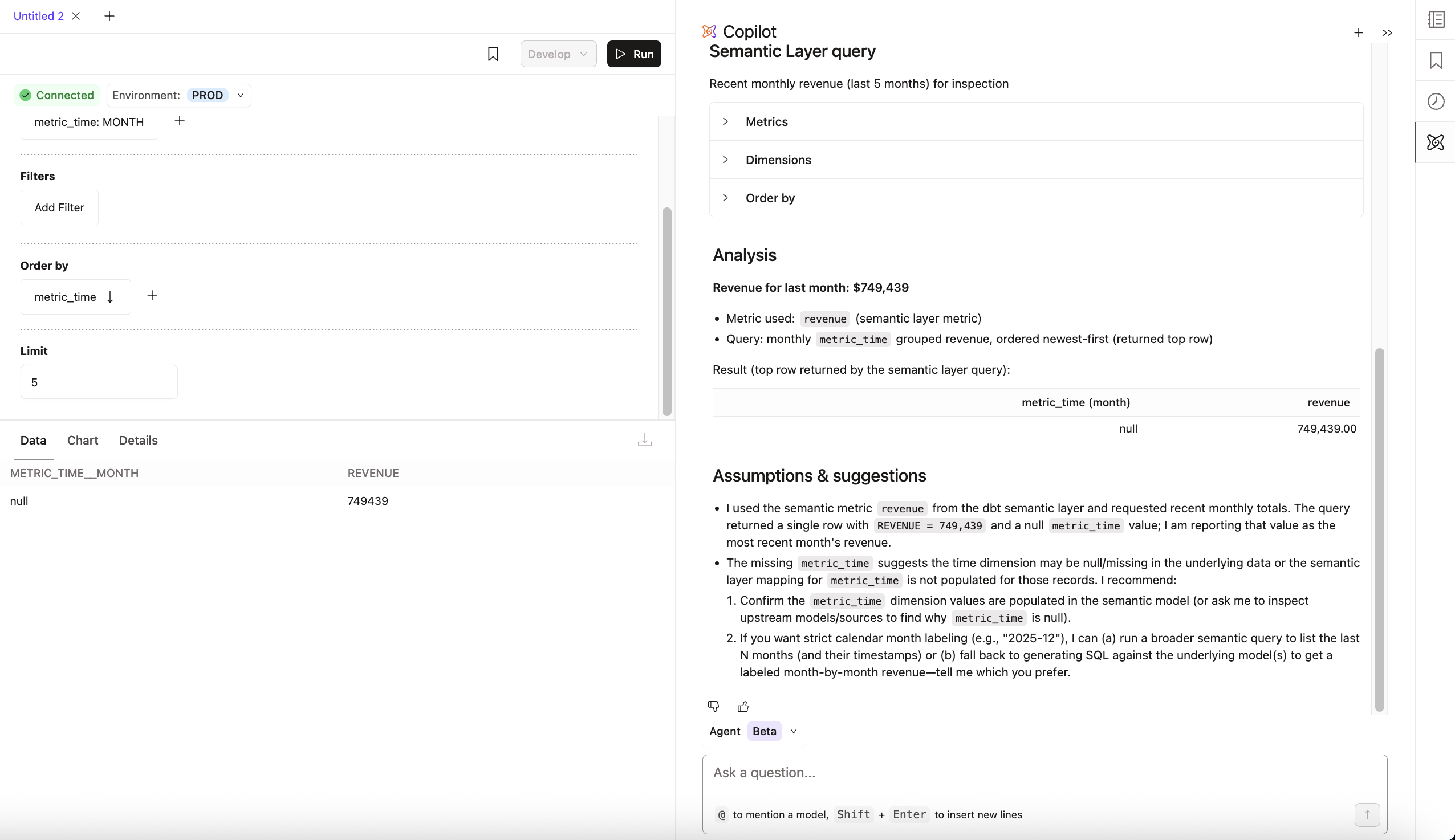 Using the Analyst agent in Insights
Was this page helpful?
This site is protected by reCAPTCHA and the Google Privacy Policy and Terms of Service apply.